


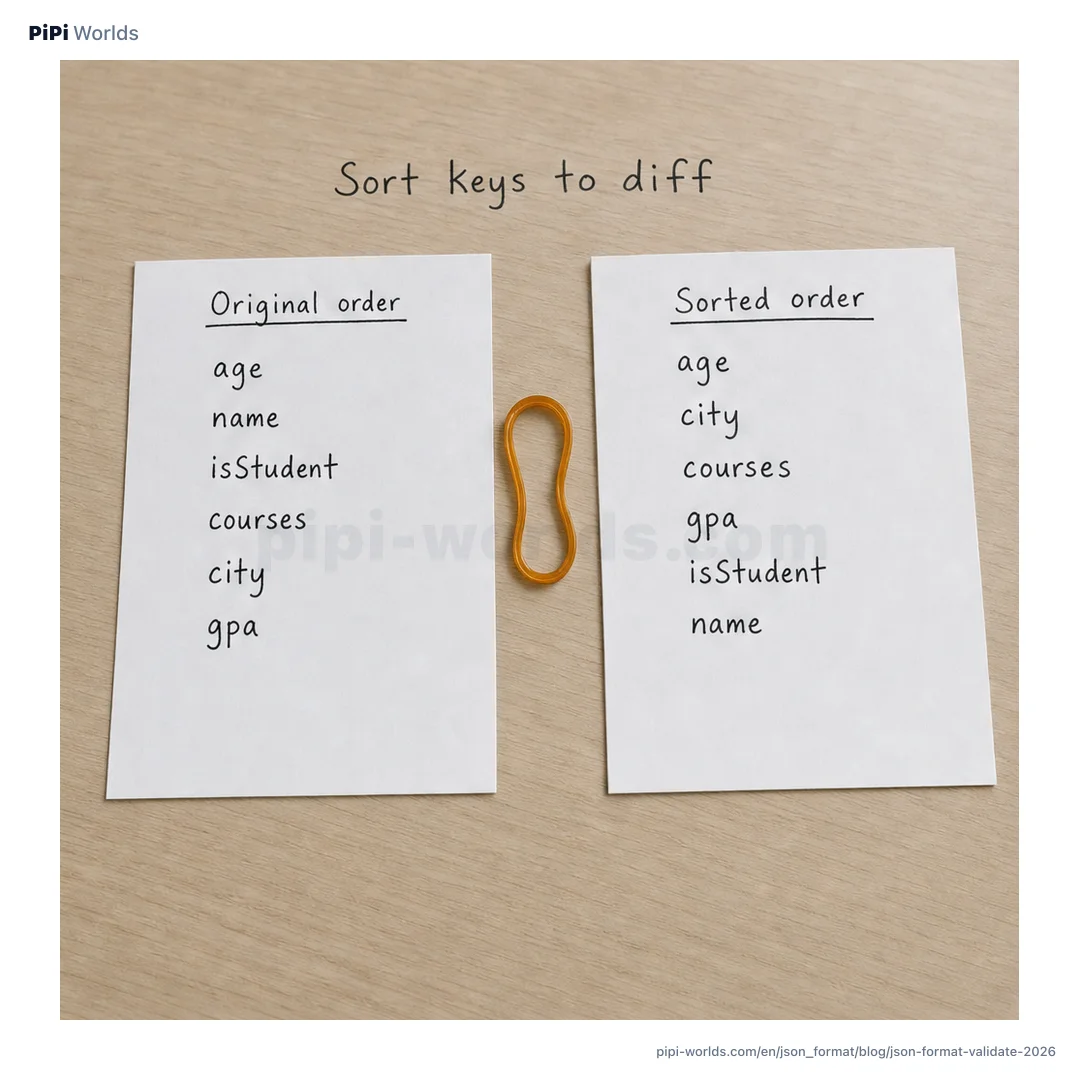
Guide update — October 11, 2026: the checks below add exact inputs and expected output, not another tool release. These are made-up test values, not customer API responses. No sign-up, app installation or live credential is needed. A syntax pass is not a business-rule check.
Tool correction — October 9, 2026: the former implementation changed large-number digits, converted 1e999 to null, and discarded duplicate entries. Beautify, Minify, Sort keys, Tree and their copied output now retain original number spellings, string escapes and every entry. This does not recover digits already rounded by another program or make live secrets safe to paste.
You paste a test API response and one red line answers back: Unexpected token. You scan for the problem, then end up counting brackets one by one. JSON has simple rules, and that simplicity is exactly why one small slip stops the whole parse. Here is how to find the break first.
Broken JSON: locate the problem before you fix it
A JSON parser stops at the first syntax error. When the browser provides coordinates, the PiPi JSON formatter displays them. Correction — September 28, 2026: the earlier version showed a one-line input but claimed a line-four error. We corrected the example and withdrew image cards that showed valid JSON as broken, non-minified JSON as minified, or a simulated tool screen. The remaining illustration is AI-generated and is not a PiPi interface screenshot.
This test input really has four lines:
{
  "name": "PiPi",
  "role": "editor",
}
In current Chromium/V8, it reports Expected double-quoted property name in JSON at position 40 (line 4 column 1). The unnecessary comma is at the end of line 3; the parser reaches } on line 4 while expecting another property name. Remove the comma after "editor" to make it valid. If you enter { "name": "PiPi", "role": "editor", } on one line, the error is on line 1, not line 4. Exact error wording and whether coordinates are available depend on the browser engine.
The usual suspects are a short list.
| Error | Symptom |
|---|---|
| Trailing comma | An extra comma after the last item |
| Missing quotes | A key or string not wrapped in double quotes |
| Unbalanced brackets | A { or [ left unclosed |
| Missing colon | No : between key and value |
JSON does not allow single quotes, comments, or trailing commas (RFC 8259). Most of these mistakes come from treating it like a JavaScript object literal.
Beautify it, or minify it down to one line
When the JSON is valid, indentation makes the structure readable at a glance. Pick two spaces, four spaces, or a tab to match your team’s convention.
When you need to shrink the payload instead, minifying removes unnecessary whitespace outside string values. { "a": 1, "b": [1, 2, 3] } collapses to {"a":1,"b":[1,2,3]}. Moving the same data between a readable form and a compact one is a common enough chore that the two buttons earn their place.
Check 1: does formatting move your keys or your array?
Open the English formatter, replace its input with this sample, and switch through Beautify, Minify, Sort keys and Tree. Read the keys from the original tokens or the Tree entries, not from a separate JSON.parse/JSON.stringify round trip.
{"10":"ten","2":"two","01":"padded","jobs":["queued","sent"],"active":true}
| Mode | Expected object-key order | jobs array |
|---|---|---|
| Beautify | 10 → 2 → 01 → jobs → active | ["queued","sent"] |
| Minify | 10 → 2 → 01 → jobs → active | ["queued","sent"] |
| Tree | 10 → 2 → 01 → jobs → active | ["queued","sent"] |
| Sort keys | 2 → 10 → 01 → active → jobs | ["queued","sent"] |
Only Sort keys moves the object entries. It puts integer-index names first numerically, then compares other decoded names as JavaScript strings. "01" is not an integer-index name here. This is a PiPi display rule, not a universal JSON ordering rule. Objects and arrays have different ordering semantics in RFC 8259 sections 4–5; none of these modes sorts the values inside an array.
The Sort keys result, with indentation removed only for this printed comparison, is:
{"2":"two","10":"ten","01":"padded","active":true,"jobs":["queued","sent"]}
Sorting can reduce order-only diff noise. It does not prove that values or duplicate entries in two responses mean the same thing.
Check 2: are the number spellings still there?
Use this new sample in the same four modes. Look at the output characters before you copy them:
{"id":9007199254740993,"price":0.10000000000000000001,"limit":1e999,"offset":-0}
| Token to inspect | Current PiPi output in every mode |
|---|---|
id | 9007199254740993 — every digit retained |
price | 0.10000000000000000001 — original decimal spelling |
limit | 1e999 — not replaced with null |
offset | -0 — minus sign retained |
Keeping those tokens is not a numeric calculation or approval of these values. 1e999 follows JSON number grammar but is beyond a finite JavaScript Number’s range; JSON’s syntax does not remove receiving software’s range/precision limits (RFC 8259 section 6).
A separate JavaScript JSON.parse consumer of this sample produces 9007199254740992 for id, 0.1 for price, Infinity for limit, and negative zero for offset. These are not the current formatter output. The integer difference is independently checkable against the exact integer 9007199254740993, which is two above Number.MAX_SAFE_INTEGER.
If an API contract requires an exact identifier, agree with its producer and consumer to send it as a string, such as "9007199254740993". Reformatting cannot recover digits already rounded upstream. Do not change an API’s data type unilaterally.
Check 3: can two spellings name the same key?
This input is syntactically valid, but its two differently written names decode to the same state key:
{"state":"queued","\u0073tate":"sent","items":[2,1]}
All four modes retain both entries and show a duplicate-key warning. Tree retains the original key spellings "state" and "\u0073tate", with values "queued" and "sent". They name the same decoded key, despite those visible spellings. The copied text also keeps "\u0073tate". Sort keys produces this order (indentation omitted):
{"items":[2,1],"state":"queued","\u0073tate":"sent"}
Escapes must be interpreted when comparing names (RFC 8259 section 8.3). A separate JavaScript JSON.parse consumer keeps state: "sent", as the later entry overwrites the earlier one in the ECMAScript JSON.parse specification. Other parsers can reject duplicates or expose all entries (RFC 8259 section 4).
If this happens in an actual response, ask the producer which entry was intended. Do not silently delete one key or treat “Valid JSON” as a correctness certificate.
Before you copy a result
- Use the made-up samples first; keep live tokens, passwords and personal data out.
- Pick the mode for the job: Beautify for whitespace, Sort keys for key-order comparison.
- Inspect raw numbers, duplicate warnings and array order; Tree is a view, not a separate data repair.
- Check the receiving program’s rules before using the result. There is no automatic schema, signature or business-rule verification here.
Where are you pasting that API response?
One last point worth making. Debugging JSON can contain access tokens, internal IDs, or personal data. Pasting those values into an online formatter can expose them. Replace them with sample or non-sensitive test values first.
The PiPi Worlds JSON formatter performs parsing in your browser, but that alone cannot guarantee the safety of production secrets. You can inspect a Base64 value in sample JSON with the Base64 tool or look at a test JWT’s structure with the JWT decoder. Follow an approved local workflow for production secrets.